
How to toggle dark mode in the Papers desktop app
Our desktop application supports dark mode, which can be easily turned on/off with a simple toggle in Papers settings.
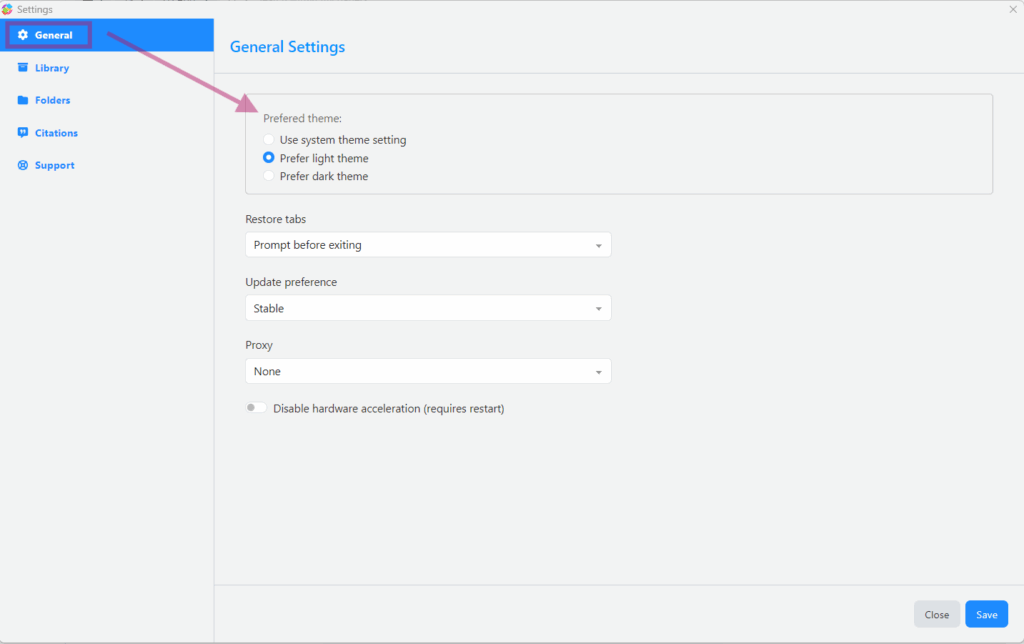
To toggle dark mode on/off in the Papers desktop application, navigate to the General tab in Papers settings and select between available theme options:
Updated on February 9, 2026


