
Citekey Management
(Only applicable on the desktop application v4.37.xxxx)
To create citekeys for newly imported PDFs that you have imported or replacing those that already have citekeys in your Papers library you will need to use the Citations feature.
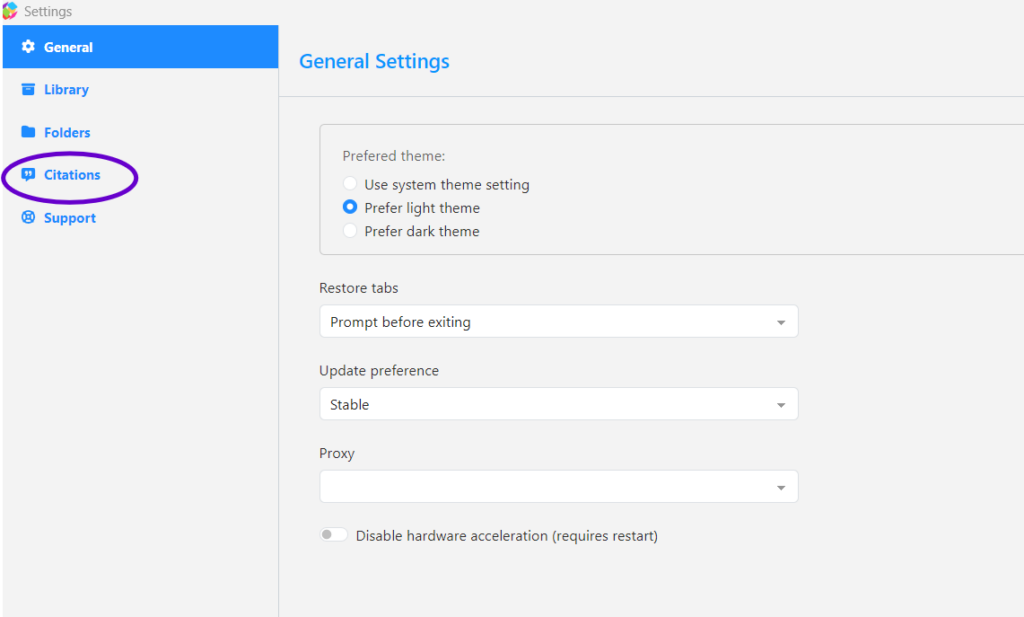
You can access this feature by either (mac) at the top of the window select Papers -> Papers settings or (Windows) select the Papers icon at the top left and select Papers settings.
From the window that appears you will need to select Citations:
From the Citations tab you can select where you would like to save the citation styles that are on the desktop application as well as the default style when right-clicking a entry and copying the reference.
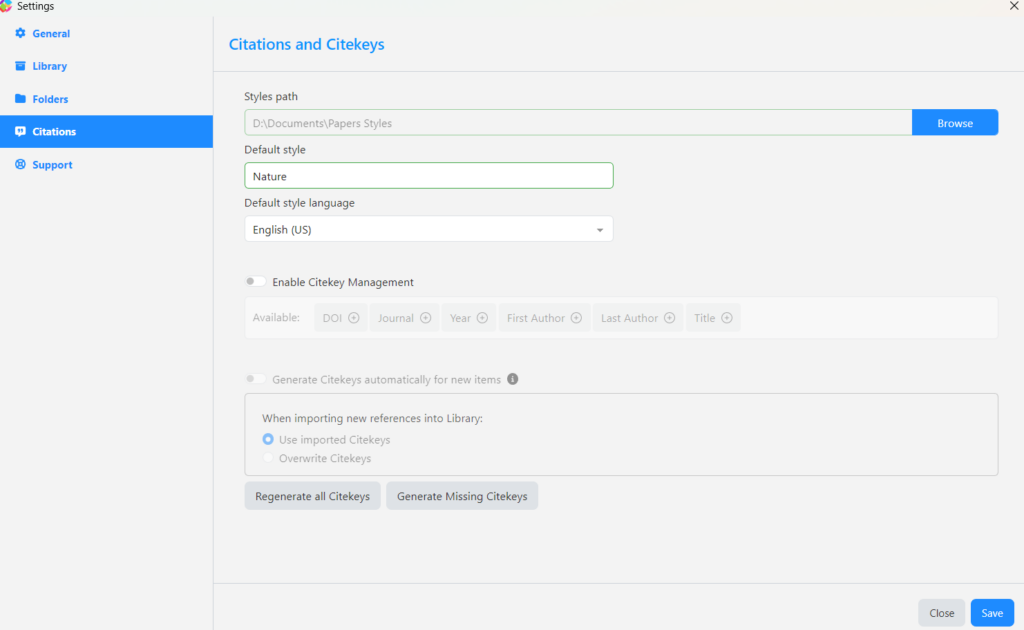
From the window you will able to able to enable the Citekey Management to select how the metadata for the citekeys. And Generate the citekeys for newly imported citekeys either only creating them for those that do not already have a citekey or overwrite for all files that you import into your library.
At the bottom of the page you will also be able to Regenerate all Citekeys for all entries or Generate Missing Citekeys for those that do not have it on your Papers library.


