
Make Research Easier with Papers
Reference Manager
Our advanced reference management software lets you focus on what truly matters—your work.


Trusted by millions of users and used across thousands of academic institutions around the world.













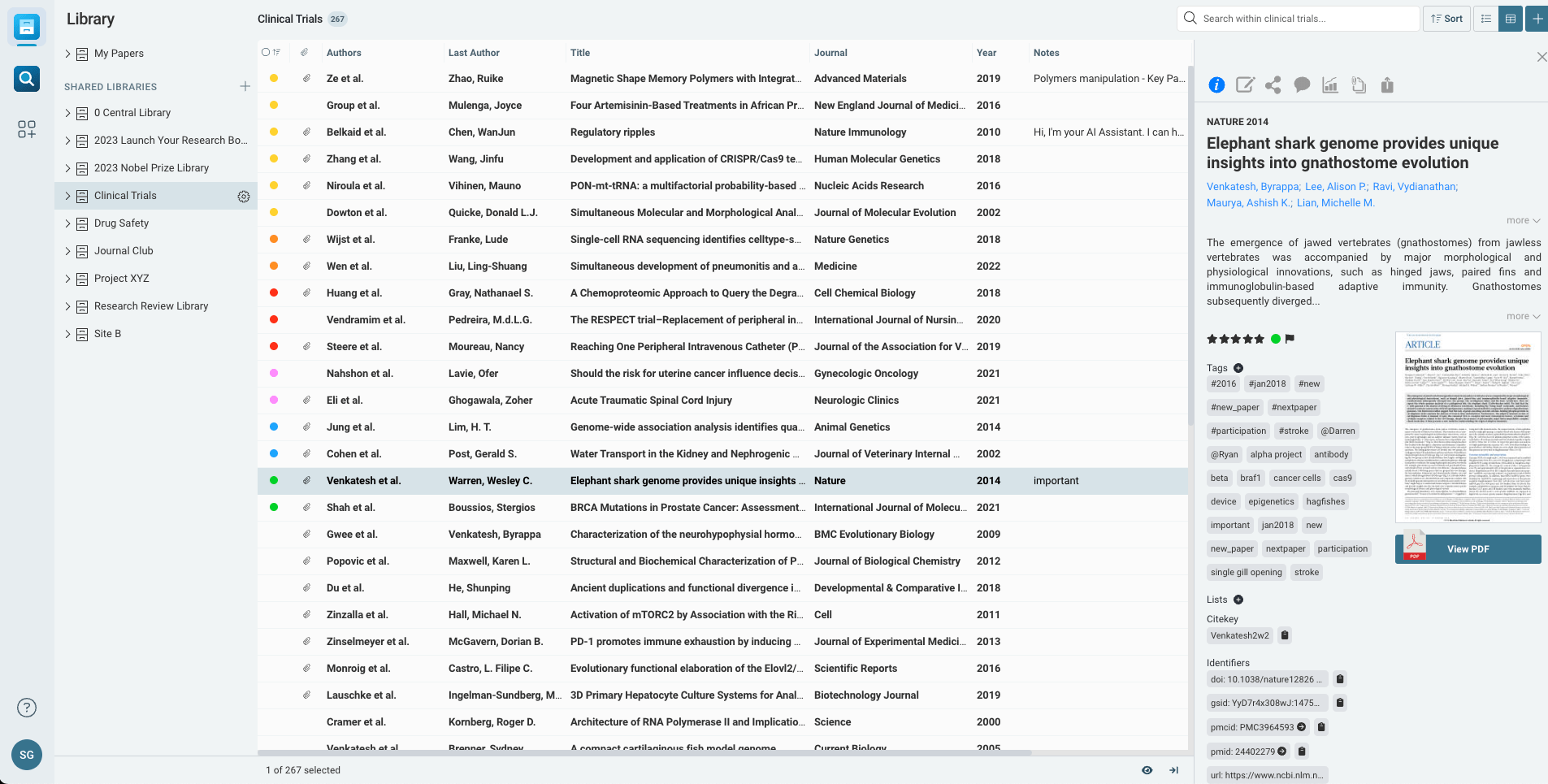
Fast, intuitive access to all your reference materials
Say goodbye to desktop clutter, random folders and clunky shared drives. Papers reference management software can organize it all.
-
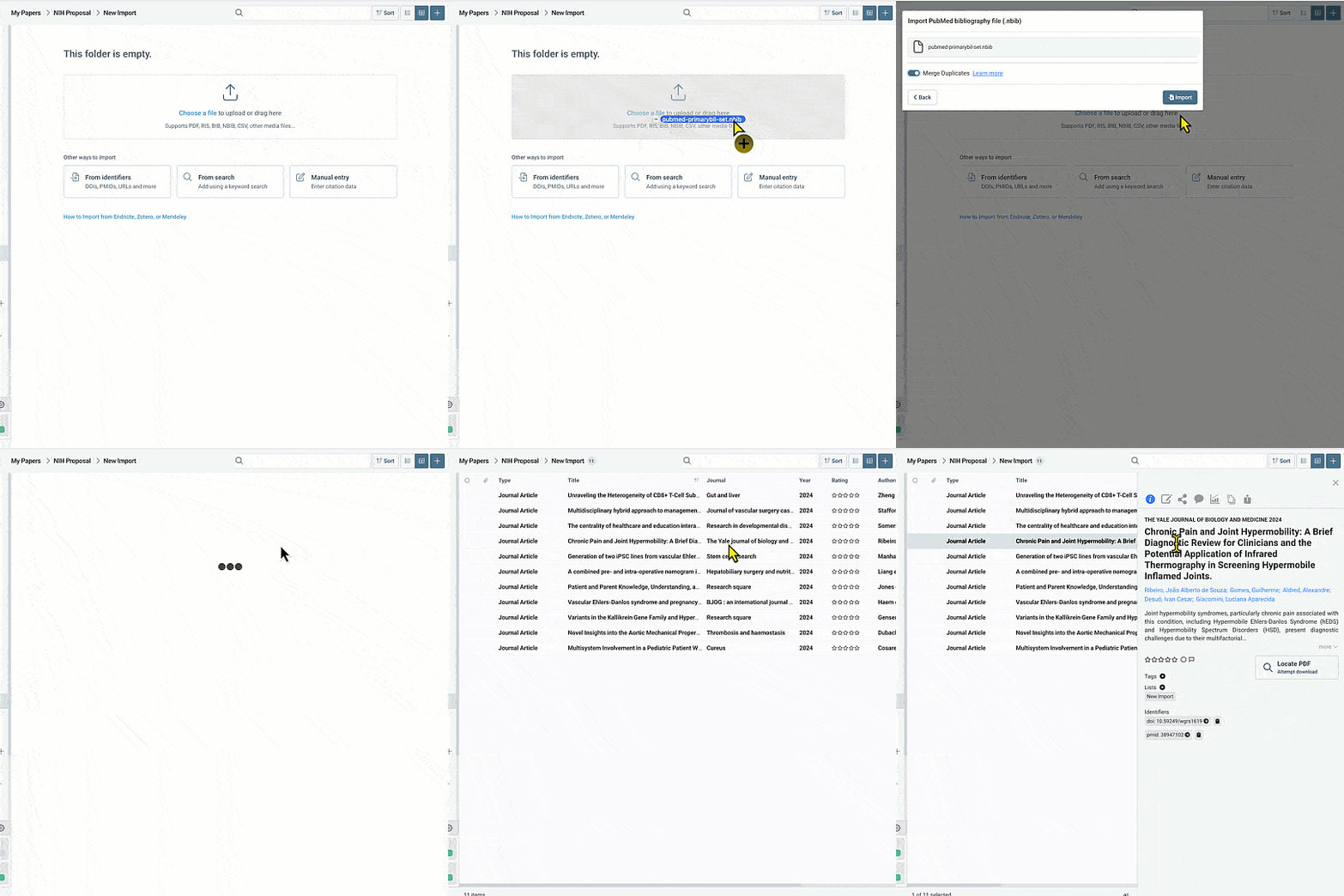
Easy Importing
Tools available to bring information in from your desktop, databases, journals, or other reference managers.
-
Metadata Matching
-
Collection Management
Stop searching and start discovering
-
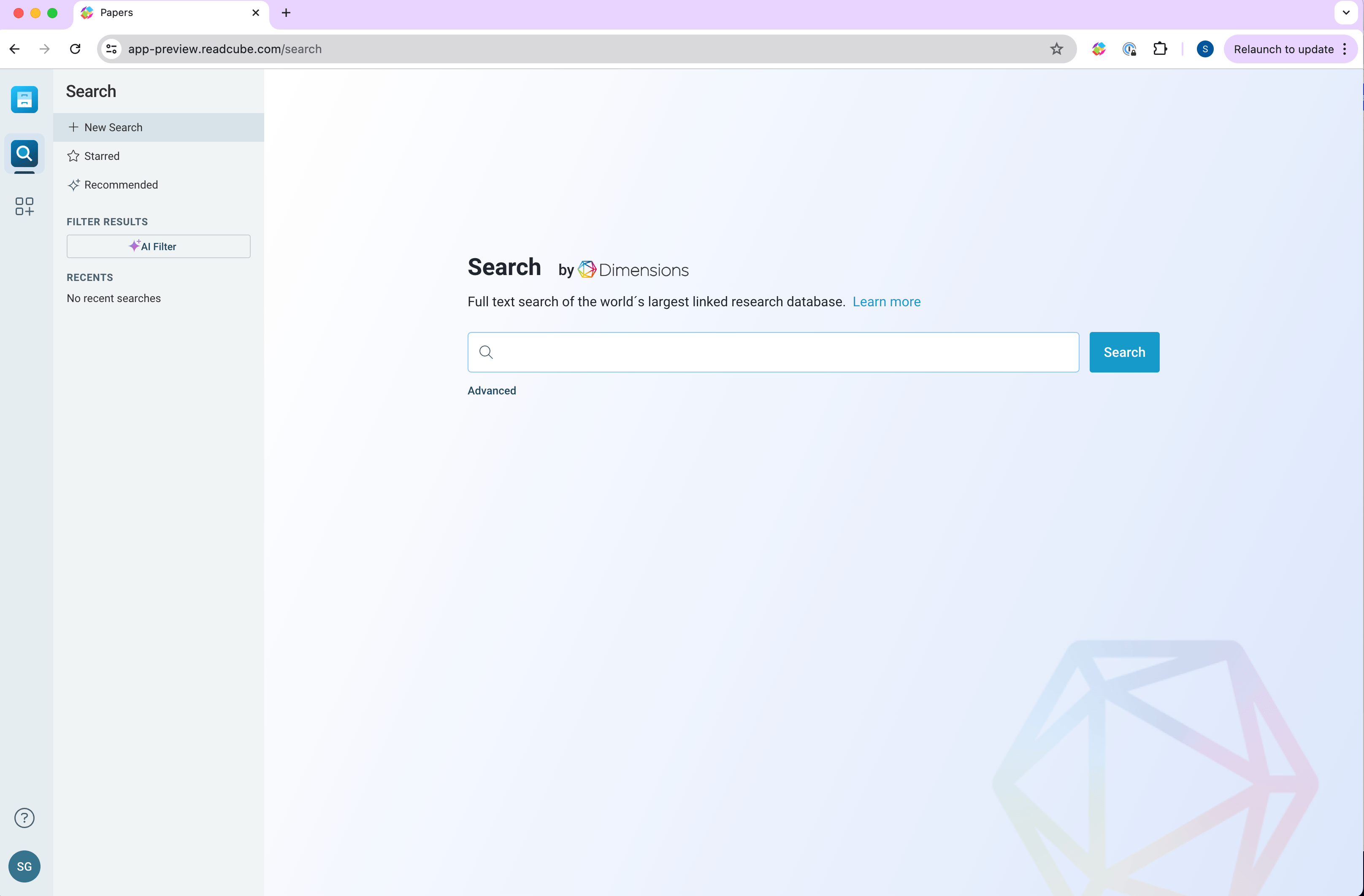
Find new research
Connect to over 150 million articles in our searchable database powered by Dimensions. Explore AI-powered recommendations and effortlessly access referenced research through the bibliographies in your articles.
-
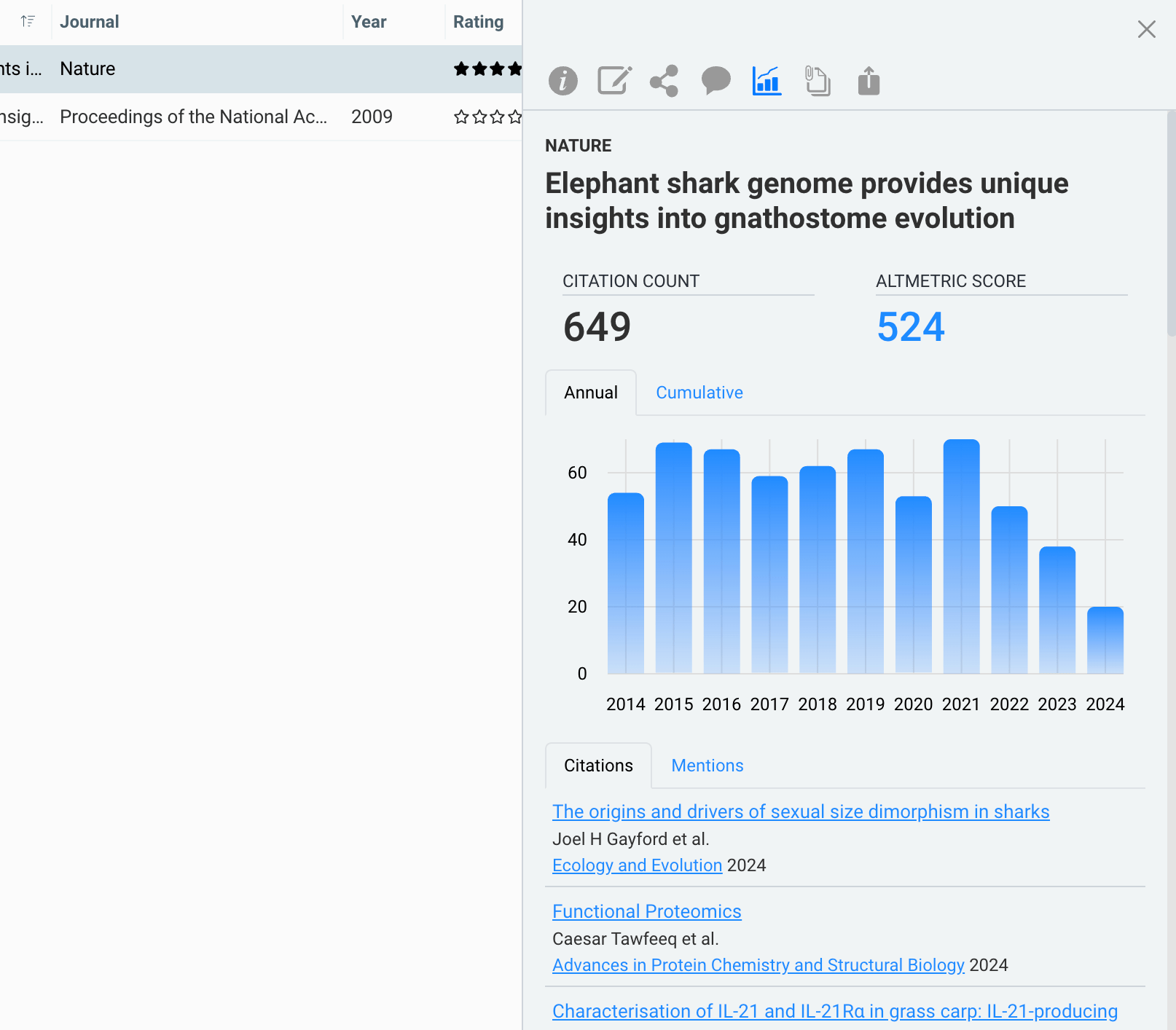
Measure impact
-
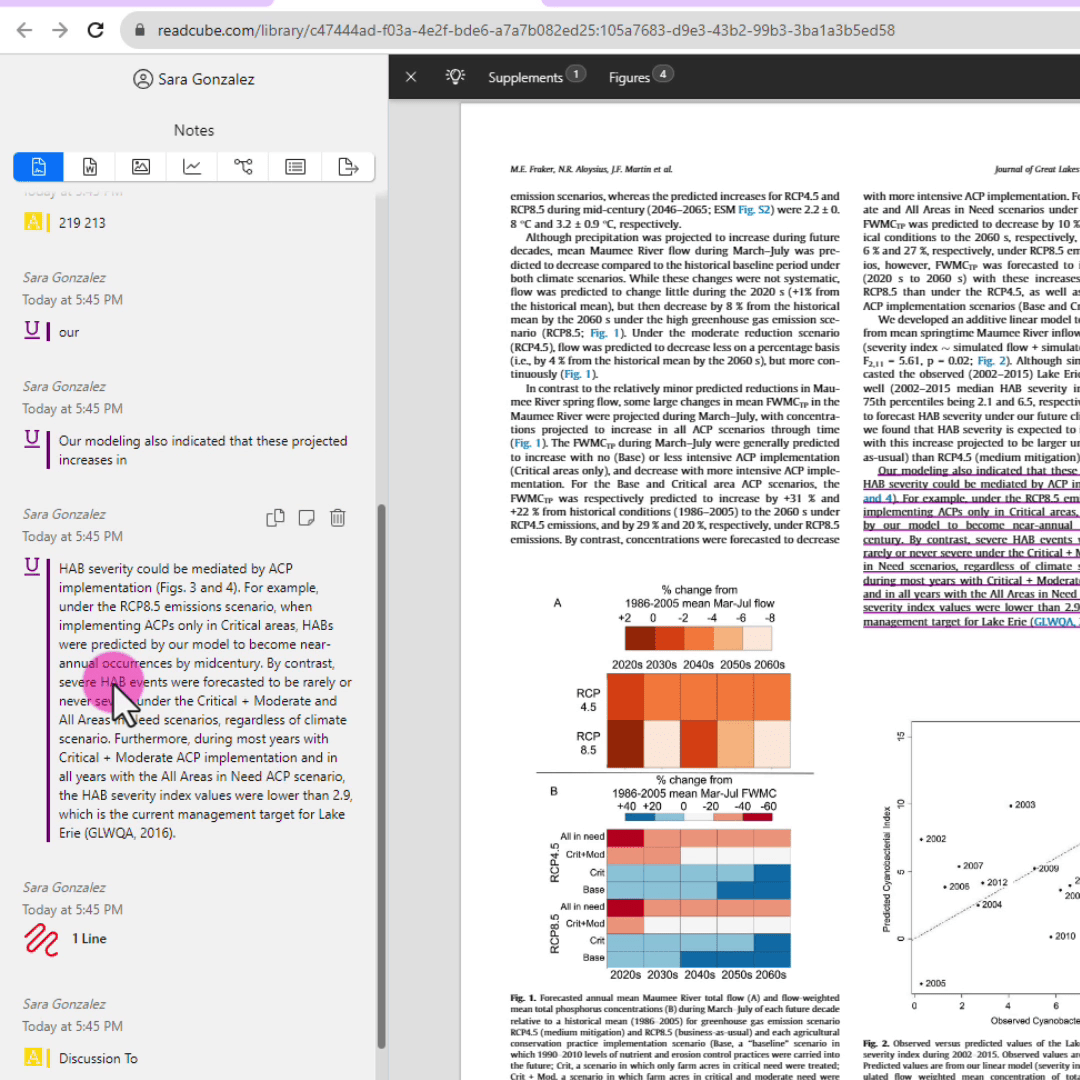
Dynamic Annotations & Notes
Analyze
Revolutionize your research with our AI Assistant
Papers reference manager with AI helps you discover and engage with research like never before.
AI Powered Analysis
Unlock the power of cutting-edge AI tools to explore and uncover connections within individual articles and across libraries. Dive deeper into your research, revealing insights and relationships you might have missed.
Chat with a PDF
Interrogate your papers with our Chat with a PDF functionality that gives you the power to ask the AI Assistant questions about your literature and receive contextual answers.
Improve Comprehension
Use the AI Assistant to more easily comprehend unfamiliar disciplines or languages - broadening your research horizons.
Connect
Real-time collaboration & cross-device syncing
Streamline how you and your research colleagues work to stay in sync and one step ahead.
Device Sync
Securely sync your entire online library including notes, lists, annotations, and highlights across all of your desktop (Mac/PC), browser app, and mobile (iOS/Android) devices.
Shared Libraries
Private shared libraries are perfect for remote teams, lab collaborations, journal club, or jointly writing that upcoming manuscript. Share notes and annotations to ensure your team is aligned.
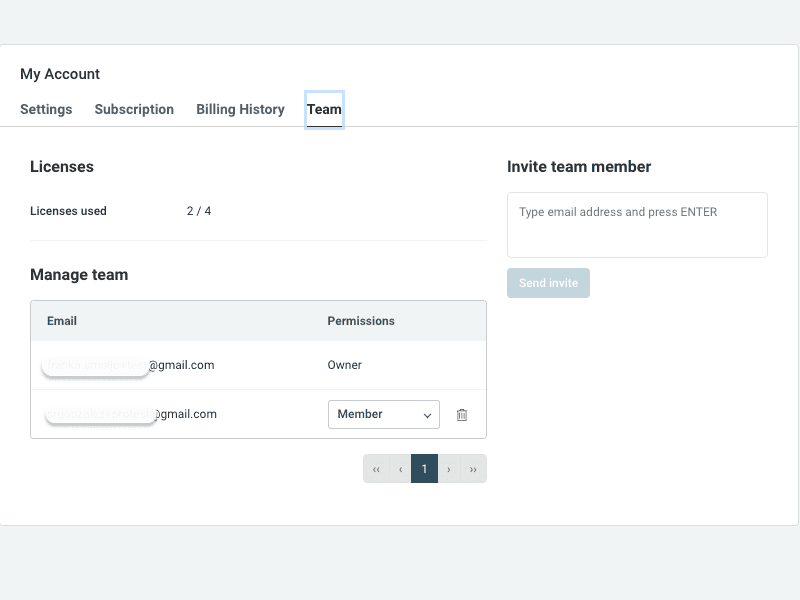
Collaborate with a Team
Create a team of up to 25 users and easily transfer these seats as your team evolves.
Write
Effortlessly cite and manage references with SmartCite
Easily access references within your libraries or through our built in search engine, SmartCite. Dynamically generate a bibliography using one of over 10,000+ citation styles - including the ability to create your own.